
The footer in an email created by Outlook is called a 'Signature' |
 |
To create your own signature in Outlook:
1. Open Outlook and select the File tab then the Options button
2. Click the Mail link in the left menu
3. Click the Signatures button
Professionally designed Email stationery offers you the following advantages: |
|
-
Distinctive Company Branding
-
Ready-made contact details
-
Clickable links
-
Email size remains small
-
Can be installed on iPhone/iPad
-
Individualised Emails
-
Legal Requirements
Here is an example of an Email Signature
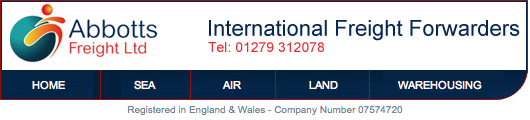
Branding
If you have spent much time, effort and money sorting out the branding, colour scheme and logo for your business cards, letter-heads and compliment slips - why not continue the branding into your email? This makes your emails stand out from the crowd and instantly recognisable.
Make it easy to Contact You
Your email stationery can contain all your vital contact details incorporated into a professionally designed layout. This makes it easy for your recipient to phone you, or even find your office.
Clickable Links
Your email stationery can contain clickable links to your website - or a collection of links to particular sections of your website. This drives more traffic to your website and provides the recipient of your email with really easy one-click links to particular products or services you wish to highlight.
Emails remain small
As the images within your stationery are actually stored on the Internet (and not embedded in the email) it keeps them message size to a minimum keeping mailboxes small. It also means you can use eye-catching logos and images when sending emails from your iPhone or iPad
Individualised Emails
We can individualise each email with unique contact details like Name, Mobile, Email etc. whilst maintaining the overall branding style of the company.
Legal Requirements
Since 1 January 2007 it became a legal requirement to state the type of company you are quoting the Company Number and Registered Trading Office where appropriate. This information can be added to your emails in a subtle uncluttered way and adds credibility to your emails..
Examples

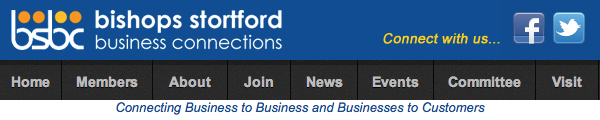
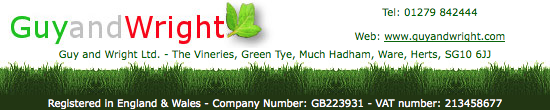
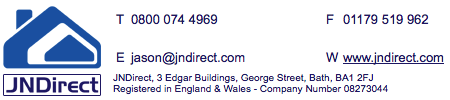


Contact Us if you would like a quote for Email Stationery
If you intend to send an email to many recipients consider some etiquette before sending.
Are you considering passing on a warning about a dangerous virus or posting scam? - If, so click here
Many people have figured out how to send an email to many email addresses with a ; (semi-colon) or use the To button to add lots of addresses in the To or Cc fields.
However if you think about it, any one of those recipients can click Reply to All and instantly send an email to a ready made mailing list. The giving away of everyone’s email address to all and sundry could be considered as bad manners and if any one of those recipients was a little unscrupulous might even harvest those email addresses for other purposes such as SPAM.
Microsoft have confused the world with their latest branding of 'Outlook' |
|
Before explaining why you may have missing emails it is worth understanding the difference between Outlook and Outlook.com....
Outlook
For years Microsoft has included the email program called Outlook as part of the Microsoft Office Suite. It offers a method for you to collect and manage all kinds of email (free or paid) and includes a Calendar, Contacts (aka People) Tasks (aka Reminders) and Notes
Up until Office 2010 the Outlook Logo has been a distinctive golden colour like these...
|
|
|
|
|
Outlook 2003 |
Outlook 2007 |
Outlook 2010 |


Then in Office 2013 and Office 2016 Microsoft decided to change the program logo to blue like this...
Outlook.com
Back in 1997 Microsoft launched a free web-based email service called Hotmail. It was designed to be accessed via the hotmail website (therefore called webmail). Then on the 31st of July 2012 Microsoft re-branded Hotmail calling it Outlook.com
Not only was it confusing to give Hotmail the same name as the Microsoft email program called Outlook but the following blue logo was used:

Missing Emails
How many people I can send one email to? |
|
If you intend to send one email to many recipients you may face some restrictions
Bulk Mailing
Let's start with a simple rule of thumb. If you intend to send one email to thousands of recipients it is best to avoid using your email program (e.g. Microsoft Outlook). Instead you should use a bulk mailing program like Mailchimp or Constant Contact
The advantages of this include:
- The facility to personalise each email (e.g. "Hello Mary")
- Embedding pictures and creating professional layouts
- The ability to view live statistics on who has opened the email or clicked links
- To be able to schedule a date and time to send
- No need to wait whilst it is sending
- People can unsubscribe themselves from your list (A legal requirement in Europe)
However if you intend to send one email to 20 recipients or less - you might want to consider placing all your contacts in the Bcc field and sending this way. Why is using Bcc good etiquette and how to use it?
So what are the limits?
It mainly depends on your email provider.